Example report: Performance review report
Performance reports provide insights into employee evaluations and help track progress across teams or departments.
Steps to Generate a Performance Report:
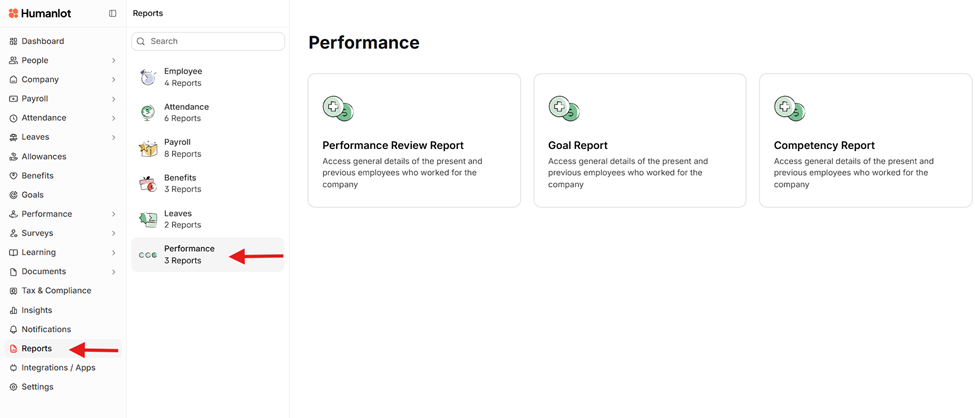
Select the type of Performance report you want to generate.
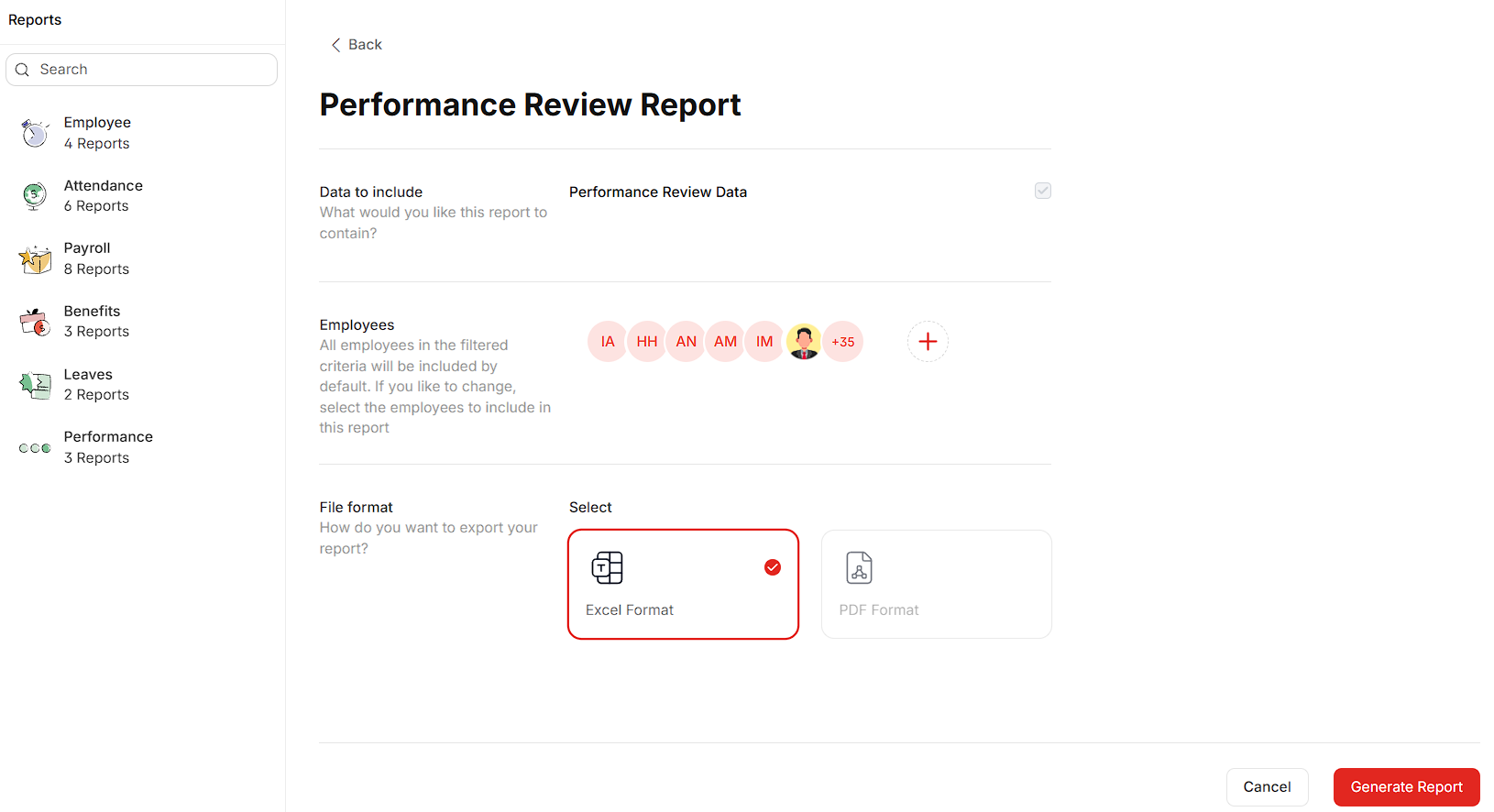
Apply filters to select the employees to include in the report.
Choose the desired file format for the report (e.g., PDF, Excel).
Click the Generate report button located at the bottom-right of the screen.


Was this article helpful?
That’s Great!
Thank you for your feedback
Sorry! We couldn't be helpful
Thank you for your feedback
Feedback sent
We appreciate your effort and will try to fix the article