When you first login to Humanlot you will be greeted by the Dashboard.
From the dashboard you will be able to see the following information -
Work : Shows your working hours starting from the time you punch in.
Attendance Tracking : Is a visual presentation of your current working hours.
Who's Away : Shows if any colleague is on Leave (Sick leave, Annual Leave..etc)
Salary Snapshot : A breakdown of you Salary into Total Salary, Gross Salary and the Deductions. The view will include a comparison of the earnings/deductions from previous month.
Leave Balances : Shows the Leaves you are eligible for and your current Leave balance.
Leave : Upcoming Leaves or Public Holidays.
Event Calander : Shows a companywide Calander for Leave days, Public Holidays and even Birthdays! ?
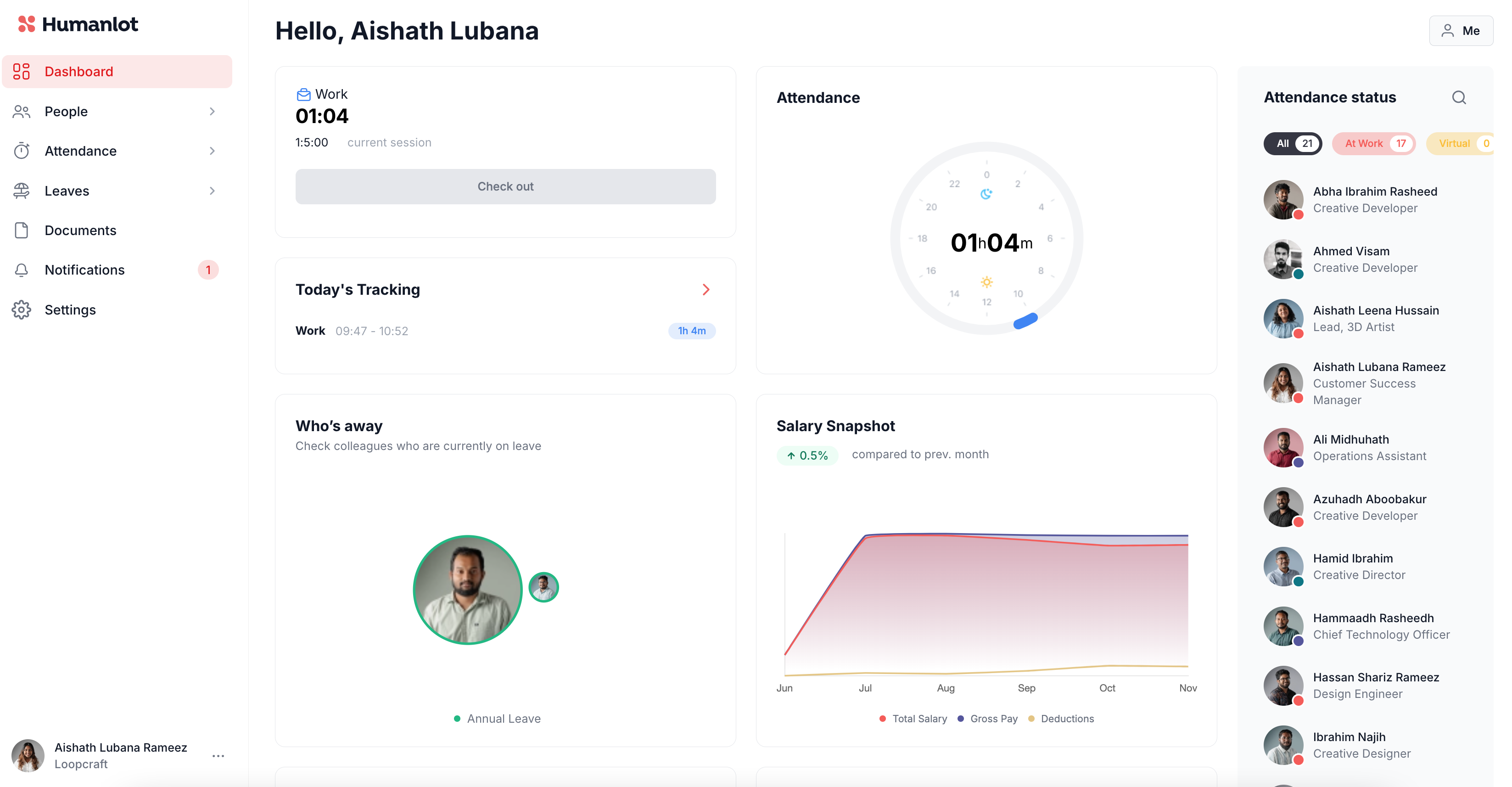
On the right, you will be able to see the attendance of your colleagues, if you need to contact them you can now check out who is currently At Work, who's Virtually checked in or if anyone is Out or Absent.
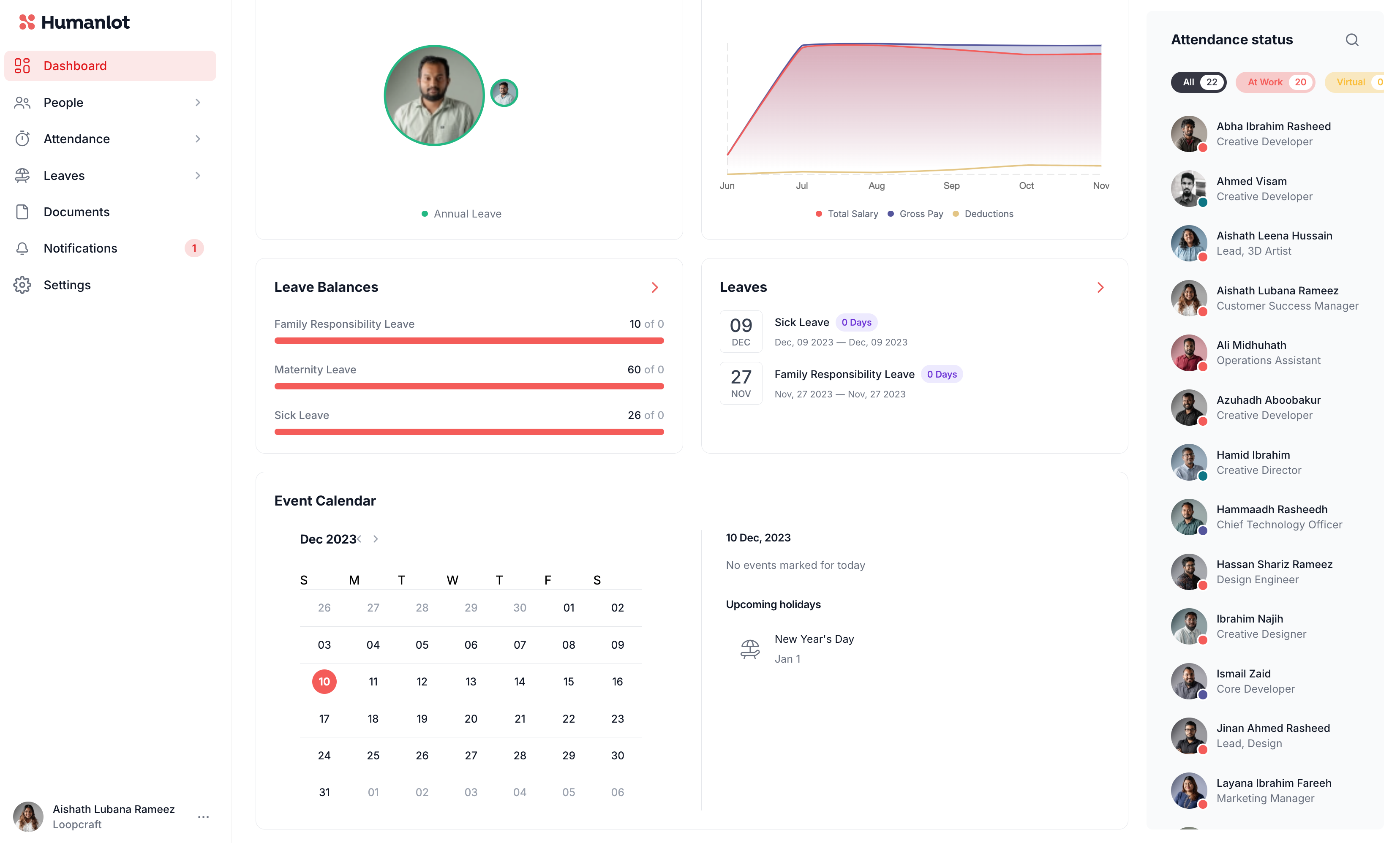
Once you scroll down, you'll be able to view the Leave Balance and Event Calander.
The dashboard is unique to you and consists of your personal work timings.
Was this article helpful?
That’s Great!
Thank you for your feedback
Sorry! We couldn't be helpful
Thank you for your feedback
Feedback sent
We appreciate your effort and will try to fix the article